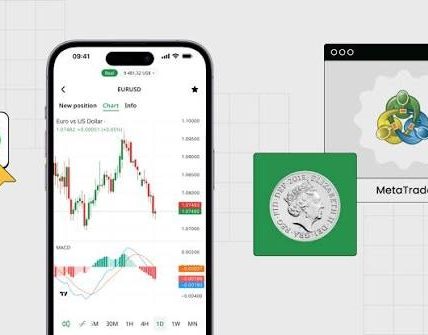

Buying a share gives you a stake in a firm. Its price can rise or fall, and gains are not assured. Digital tools let you research stocks, place trades, and check what you own from your phone. Learn how these tools work. This helps you plan each step and avoid errors.
What a Share Market App Does
A Share Market App brings stock quotes, charts, orders, and account records into one place. Each broker offers its set of tools. Some apps also offer access to funds, bonds, and other assets.
An Online Trading App sends your buy or sell orders through a broker to the exchange. It does not choose a stock that fits your needs for you or ensure a profit. The app handles access, while you decide how each trade fits your goals.
Separate Trading From Investing
Trading often focuses on price moves over a short period. Investing tends to involve holding assets to meet goals over time. Both carry risk, and neither ensures a gain.
Set a goal before you add funds. Write down why you want to buy, how long you plan to hold, and what could change your view. Use these notes to check your plan when prices move. Keep money for rent, bills, and urgent needs outside your stock budget.
Check the Broker and Open Accounts
Start by checking the broker’s SEBI registration and stock exchange membership. Use the app link on its official website. Read the account terms, fee list, and support details before you sign up.
For buying and holding listed shares in India, you generally need three accounts. A bank account handles payments. A trading account lets you place orders. A demat account holds shares in electronic form. Complete the required identity checks and read each form before you sign.
Learn the Main Screens
Before your first trade, find the search bar, watchlist, order book, and holdings page. A watchlist lets you follow stocks without owning them. The order book shows the state of orders you have placed.
The holdings page shows shares held in your account. Check the stock name, exchange, price, and quote time before you act. A price on screen may change before your order reaches the market. Learn where to find cash balances, trade reports, and help within the app.
Research Before You Buy
Read what the business sells, how it earns cash, and what risks it faces. Look at sales, profit, debt, and cash flow over time. A chart alone cannot explain the health of a company.
Check claims against company filings and exchange notices. A social media post may leave out facts that affect your choice. Make a short note of the reason for each purchase. Avoid treating a price alert or a tip from a group chat as proof of value.
Understand Costs and Add Funds
Read the full tariff sheet to see which charges apply. Costs may include brokerage, taxes, exchange charges, and demat fees. A zero brokerage offer does not make every part of a trade free.
For example, ten shares at ₹150 each have a trade value of ₹1,500. Charges can add to the amount paid when buying. They can also reduce sale proceeds. Transfer funds only through the broker’s approved banking route, and confirm the credit before you place a trade.
Place and Check Your Order
Choose the stock, share count, and order type. A market order seeks a trade at prices on offer. A limit order sets a price boundary but may remain unfilled.
For a buy limit of ₹150, a trade can occur at ₹150 or below. The order may not fill if no shares match its terms. Check all fields before sending it. Then look for its status: open, partly filled, filled, or rejected. If the screen freezes, check the order book to see if it went through. Do this before you try again.
Review Records and Secure Access
Save contract notes and check them against your trades. Review account statements and report any mismatch to the broker. Track how your holdings fit your goals, and do not trade just because a price has moved.
Use a strong password and the security checks that the app offers. Never share passwords or OTPs with callers. Keep your phone number up to date and read account alerts. If you spot a trade you did not place, reach the broker’s help desk. Keep written records.
Conclusion
A Share Market App can help you research stocks, place orders, and track investments from one screen. Start with a clear goal, verify the broker, and understand the fees. Learn how orders work and check records after each trade. The tools support the process, but sound checks and a grasp of risk still guide each choice.